Subject
Applies to: Admin
Purpose: To explain how users can delete multiple leads at once.
Location in Ricochet: Lead Management
Description
The instructions in this article require Administrator permission
This article addresses how administrators can mass-delete selected leads from the Lead Management page using the delete action.
Resolution
Optional: View the interactive tutorial for this process:
Click here to open the step-by-step tutorial in a new tab
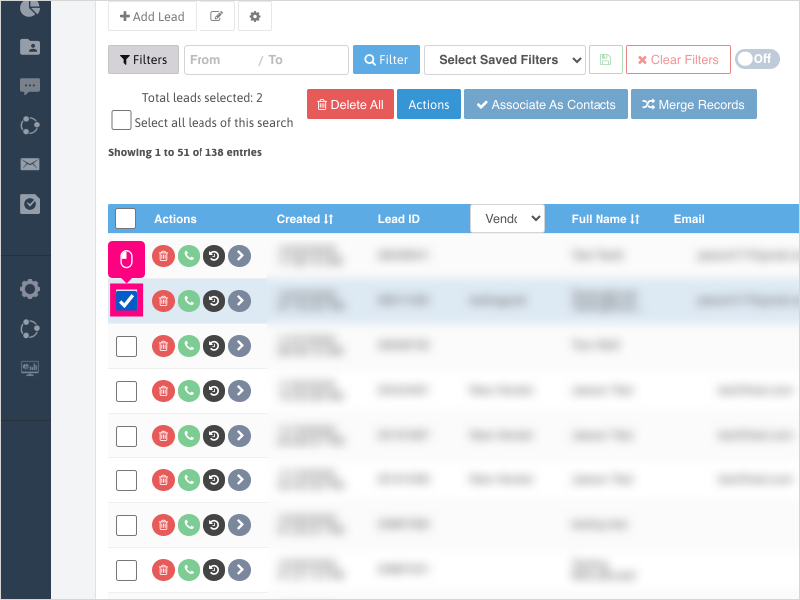
Non-Administrators do not have the access to follow these instructions and should open a ticket.1. If you need to delete leads in bulk, first you'll want to select one or more leads from the checkbox on the left.
If you want to delete all the leads in your search, check the box for "Select all leads of this search" at the top.
2. Click Delete All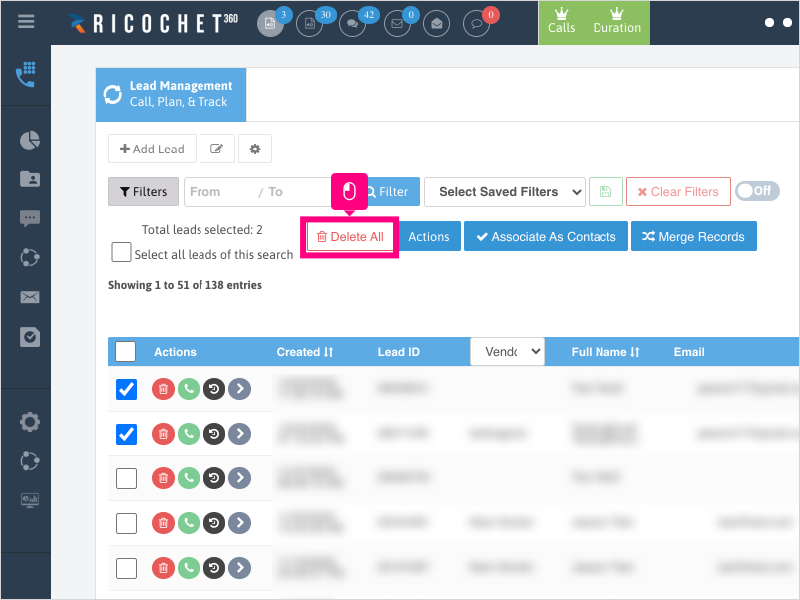
3. Click Ok to confirm deleting the selected leads.
Note: If you are deleting more than 50 leads, the request will be put on queue. You'll be notified by email once the process is completed.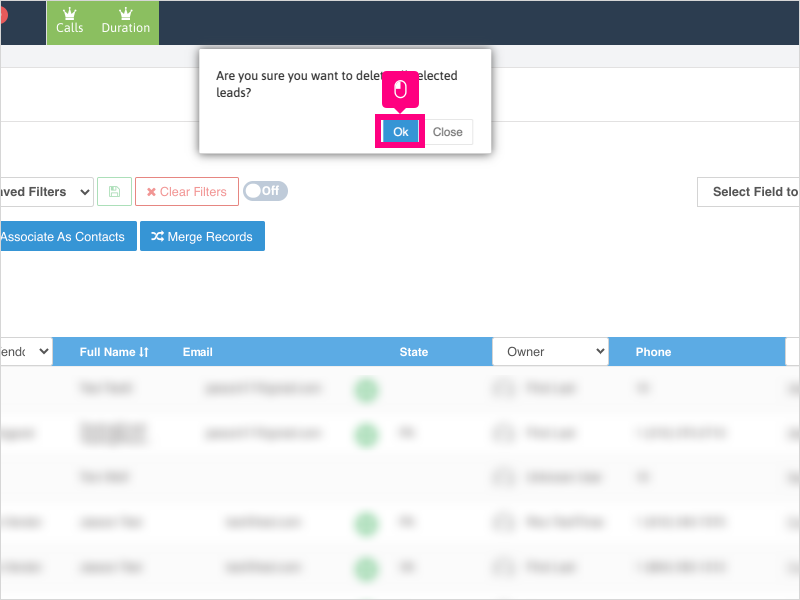
Was this article helpful?
That’s Great!
Thank you for your feedback
Sorry! We couldn't be helpful
Thank you for your feedback
Feedback sent
We appreciate your effort and will try to fix the article