Subject
Applies to: Admin
Purpose: Duplicating Text Campaigns
Location in Ricochet: Configuration > Marketing Automation
Description
The instructions in this article require Administrator permission
These instructions explain how to duplicate a text marketing campaign in Ricochet by navigating to Configuration > Marketing Automation and using the duplicate campaign option. They note that the copied campaign appears at the bottom of the list with “Copy of” added to its name, after which it can be edited as needed.
Resolution
Optional: View the interactive tutorial for this process:
Click here to open the step-by-step tutorial in a new tab
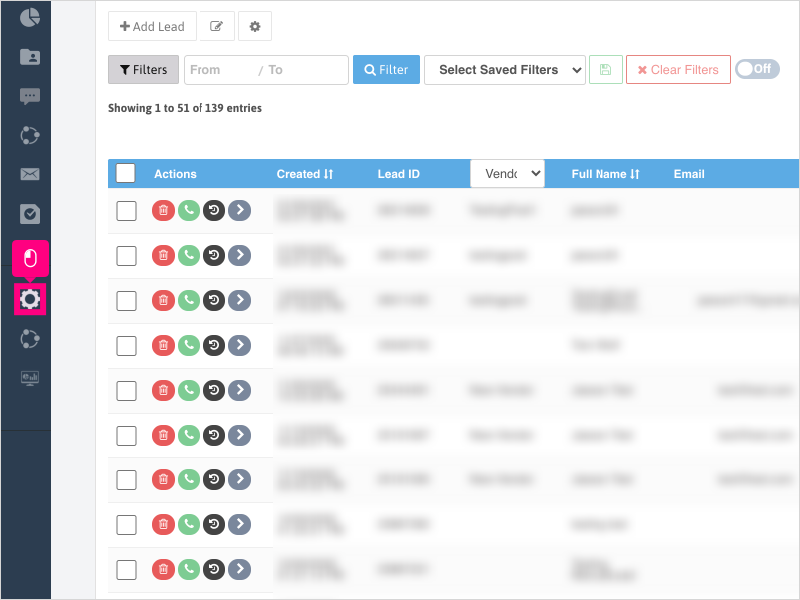
Non-Administrators do not have the access to follow these instructions and should open a ticket.1. To duplicate a Text campaign, click Configuration
2. Click Marketing Automation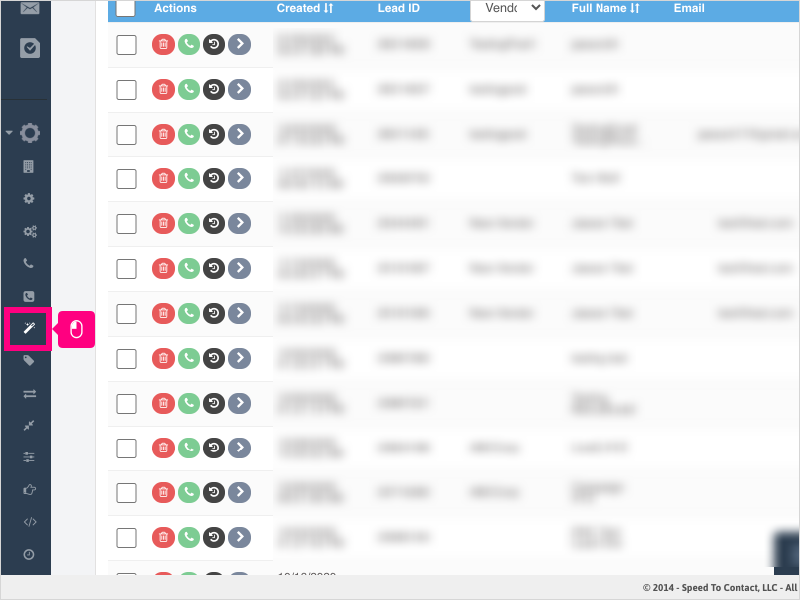
3. Click the duplicate campaign button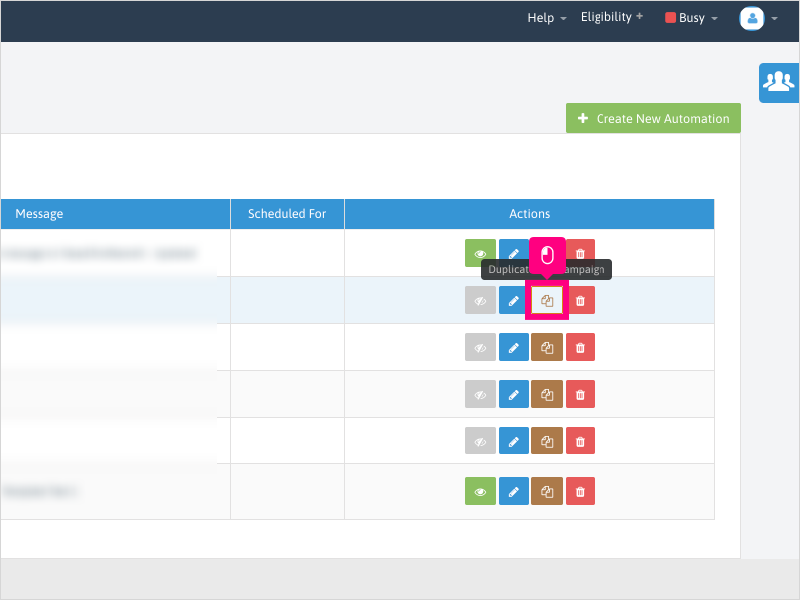
4. The duplicated campaign will appear at the bottom of your list with the campaign name starting with "Copy of" followed by the original campaign name.
Click the edit button to edit the duplicated campaign as needed.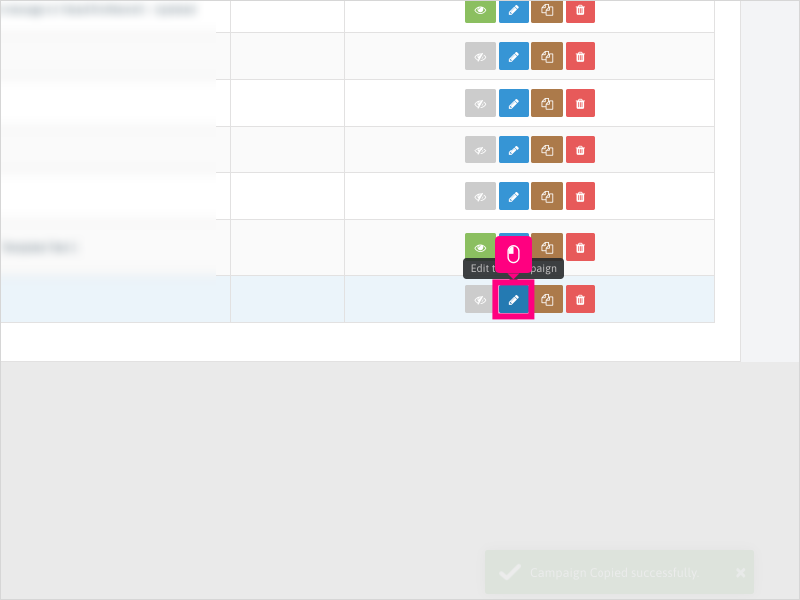
Was this article helpful?
That’s Great!
Thank you for your feedback
Sorry! We couldn't be helpful
Thank you for your feedback
Feedback sent
We appreciate your effort and will try to fix the article