Subject
Applies to: All users
Purpose: To explain how users can filter incoming and outbound text messages in the Text Messaging dashboard using a specific phone number or user.
Location in Ricochet: Text Messaging
Description
This article walks through how to narrow text message results in the Text Messaging dashboard by entering a phone number or user into the search field, allowing all users to quickly locate relevant inbound or outbound messages.
Resolution
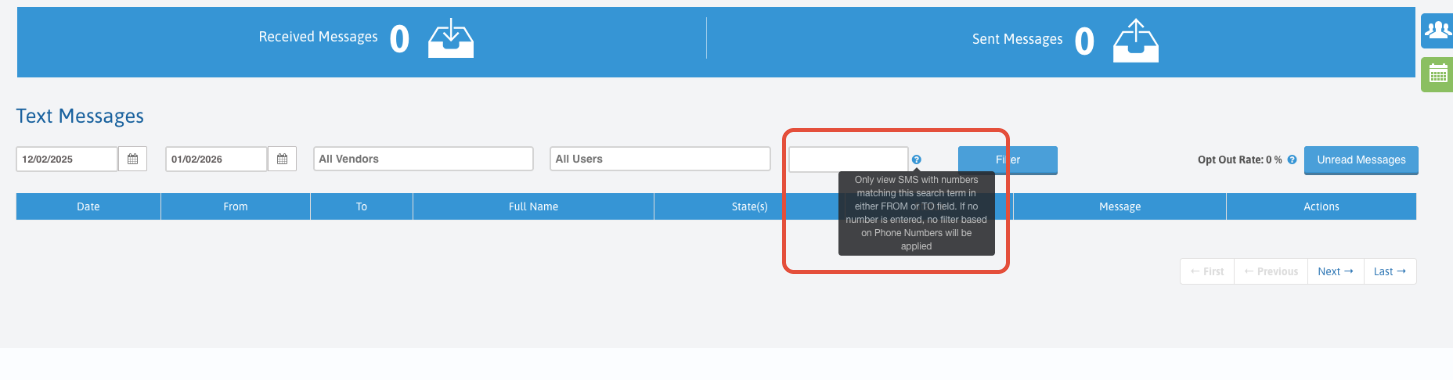
To filter text messages by a specific phone number, enter the phone number in the search box highlighted in the screenshot above.
Was this article helpful?
That’s Great!
Thank you for your feedback
Sorry! We couldn't be helpful
Thank you for your feedback
Feedback sent
We appreciate your effort and will try to fix the article