Subject
Applies to: Admin
Purpose: Understanding the progressive scheduler
Location in Ricochet: Management > Dialer Campaigns
Description
The instructions in this article require Administrator permission
This article explains the logic of the progressive scheduler in a dialer campaign.
Resolution
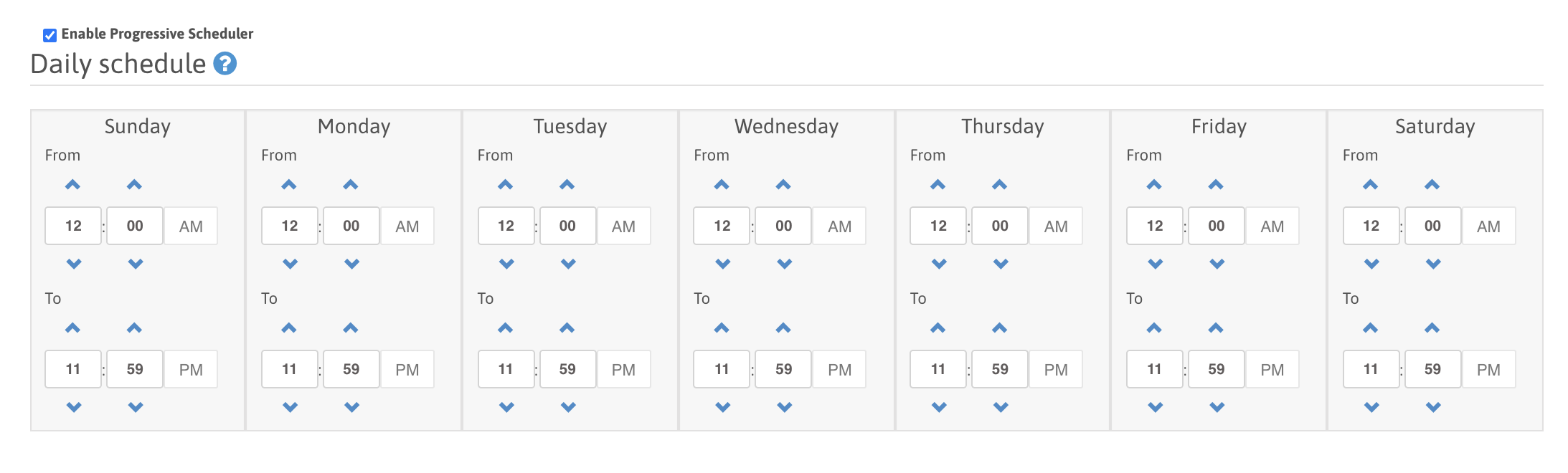
The Progressive Scheduler allows you to schedule a dialer campaign to turn On (From time) and Off (To time) each day during the week.

NOTE:  Each time section is specific for that particular day of the week, and times cannot go from PM to AM.

They can only be set AM to AM, AM to PM, or PM to PM.  Only 1 schedule can be set per day inside each dialer campaign.
Was this article helpful?
That’s Great!
Thank you for your feedback
Sorry! We couldn't be helpful
Thank you for your feedback
Feedback sent
We appreciate your effort and will try to fix the article