Subject
Applies to: Admin/Branch Manager
Purpose: To explain how to export the Agent Status Report in Ricochet so administrators can download agent status time data for reporting, auditing, or further analysis.
Location in Ricochet: Dashboard -> Performance Dashboard -> Agent Status tab
Description
The instructions in this article require Branch Manager permission or above
This article walks administrators through running the Agent Status Report, applying date ranges and optional filters, and exporting the results as a CSV file. The exported report allows you to review and analyze agent status times outside of Ricochet.
Resolution
Optional: View the interactive tutorial for this process:
Click here to open the step-by-step tutorial in a new tab
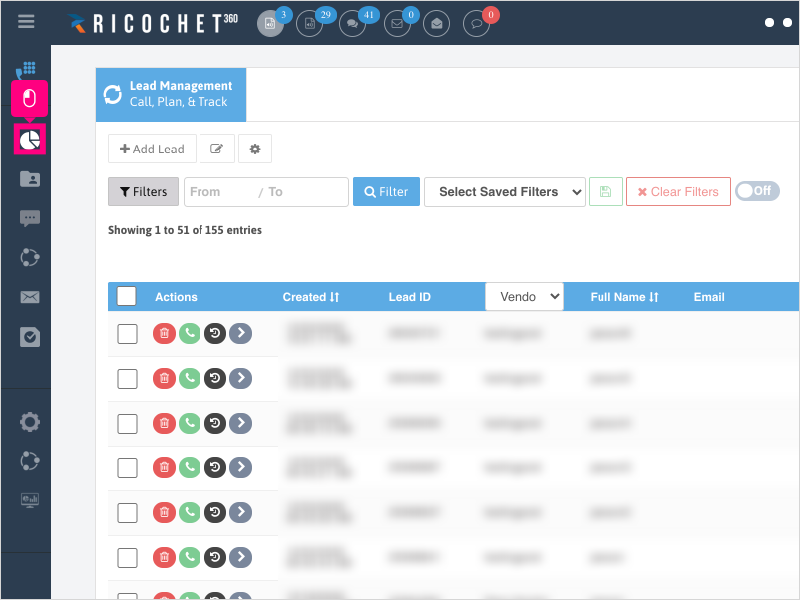
Non-Administrators do not have the access to follow these instructions and should open a ticket.1. To export your Agent's status times report, click Dashboard
2. Click Performance Dashboard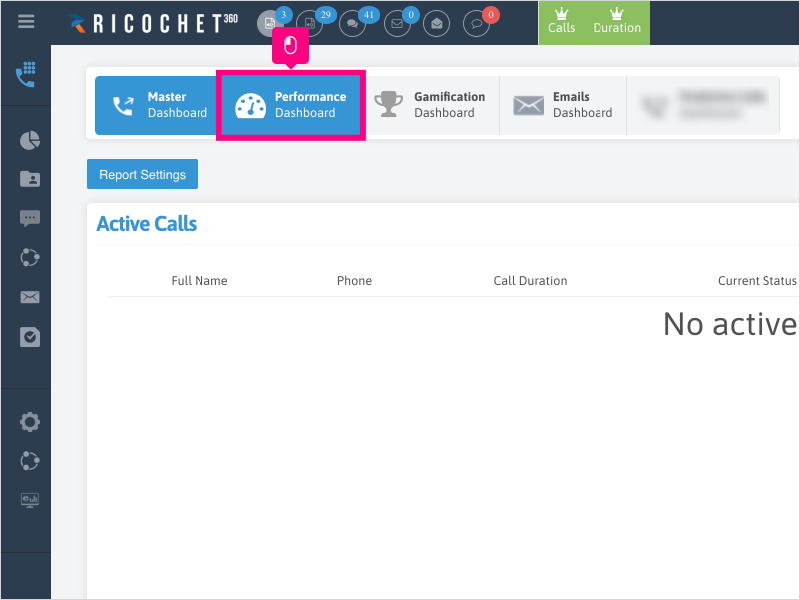
3. Click the Agent Status tab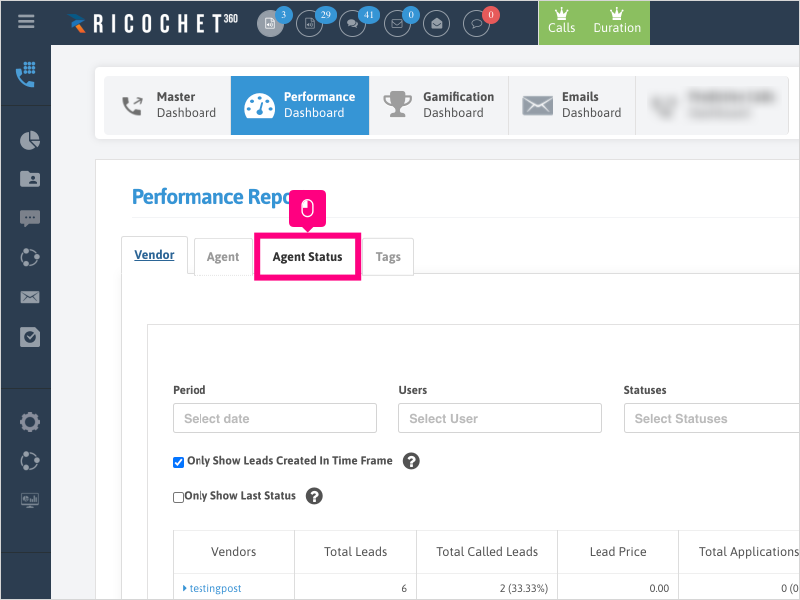
4. Click the Period section and select the timeframe you want to run your report for.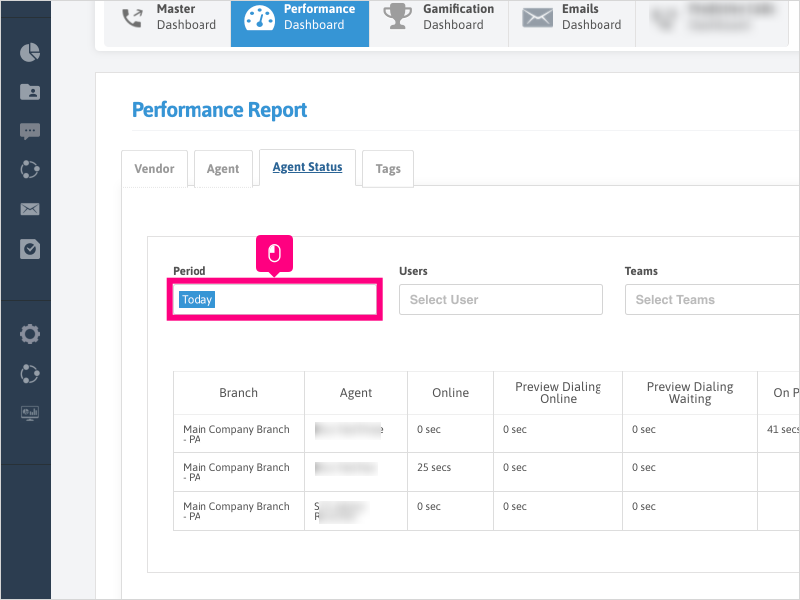
5. For this example, we'll select Today
Click this only if it's not already selected - it may be pre-loaded with Today - in that case you do not need to re-select it.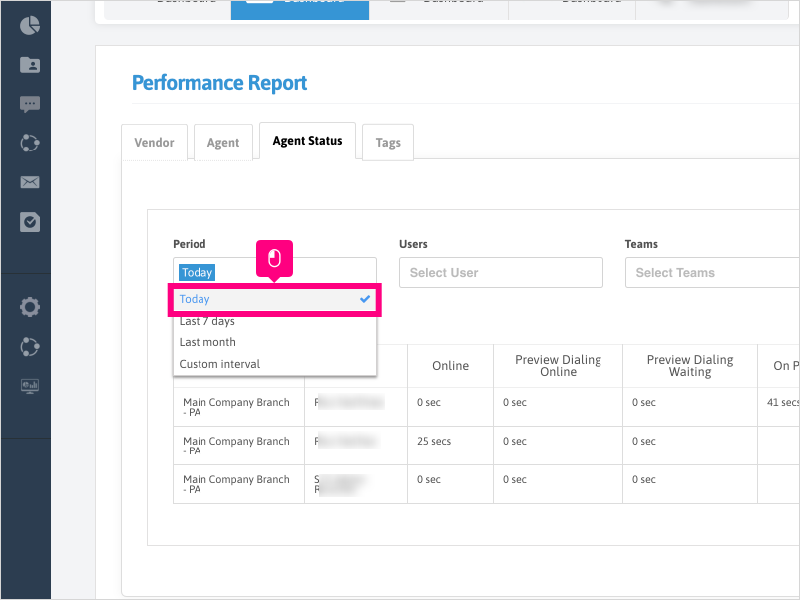
6. Select any other filters you wish to use in your report.
You can leave these blank to pull all data in.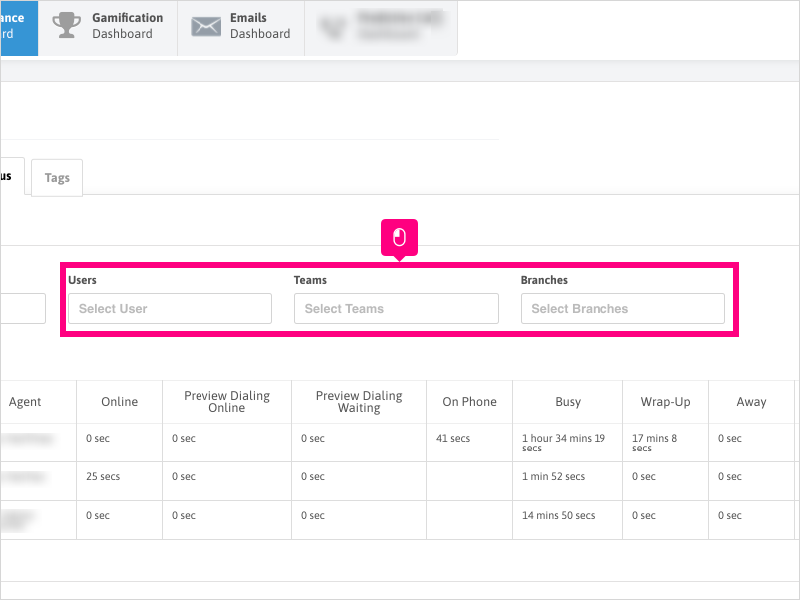
7. Click Search and review your report results.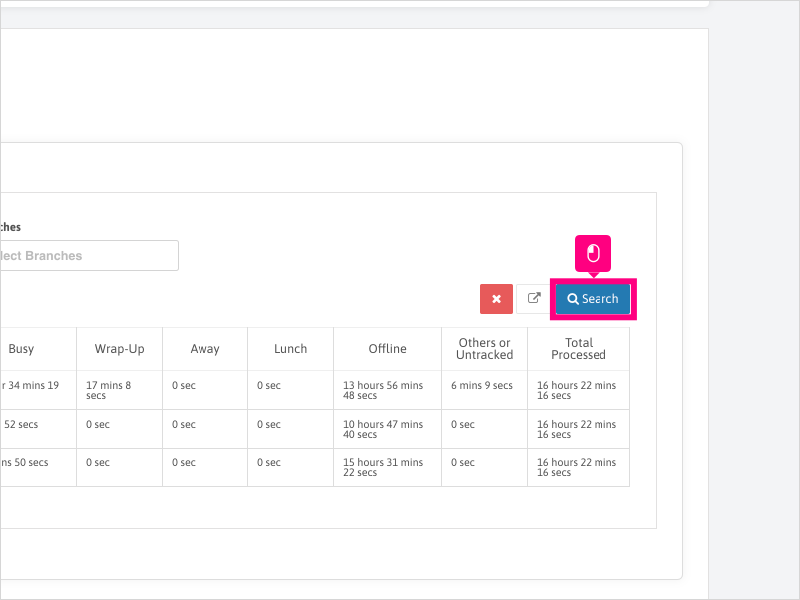
8. Click Export and save the report file to your desired location on your computer.
The file type will export in a .CSV format.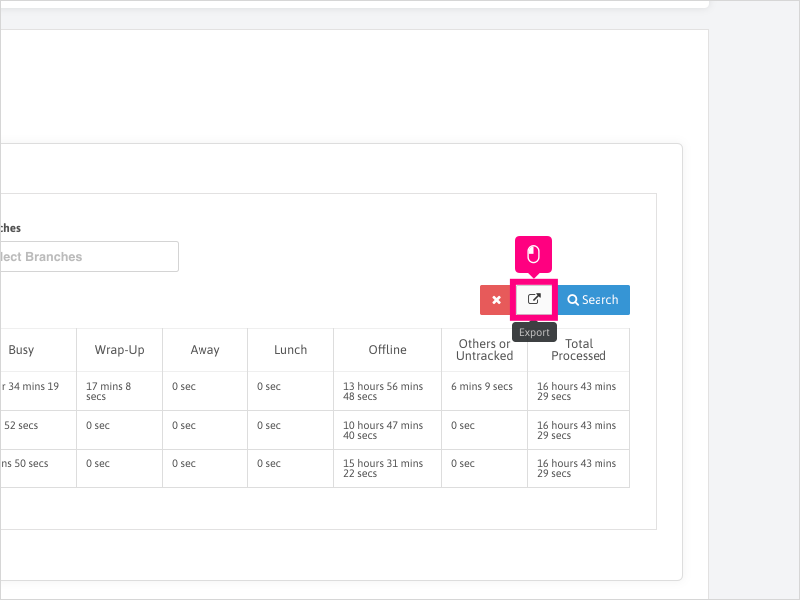
Was this article helpful?
That’s Great!
Thank you for your feedback
Sorry! We couldn't be helpful
Thank you for your feedback
Feedback sent
We appreciate your effort and will try to fix the article