Subject
Applies to: All users
Purpose: To explain how users can reply directly to email messages from the Email Messaging Inbox page within Ricochet, without navigating to a separate compose or messaging screen.
Location in Ricochet: Email Messaging
Description
This article walks users through the steps required to locate an email in the Email Messaging Inbox, open it in the side panel, and send a reply directly from the Inbox interface. It highlights how the Inbox search works, how to open an email conversation, and how to submit a reply from the same view.
Resolution
Optional: View the interactive tutorial for this process:
Click here to open the step-by-step tutorial in a new tab
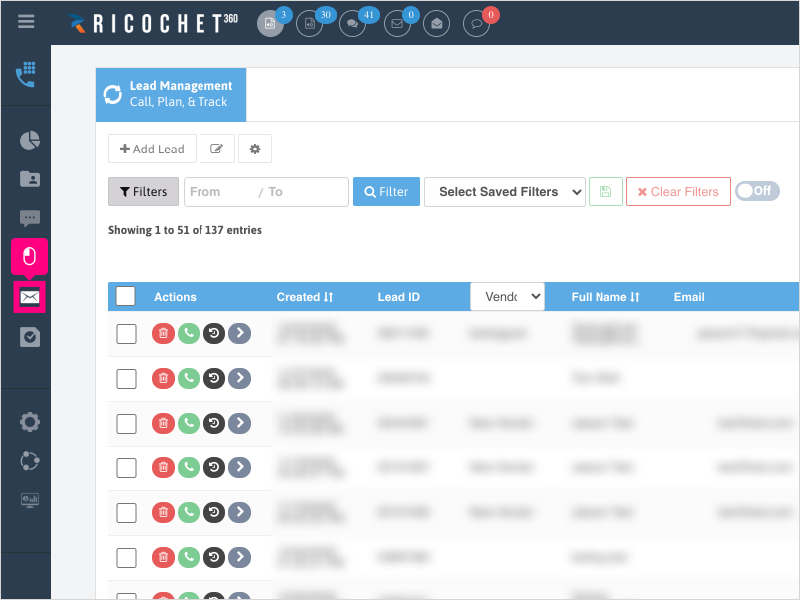
1. To reply to an email from your Inbox, click the Email Messaging section icon
2. Click the Inbox icon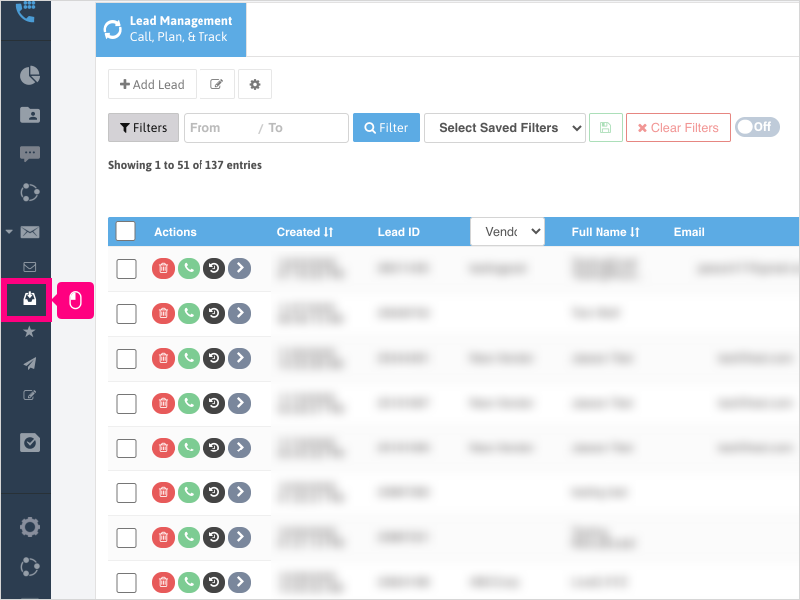
3. Click inside the Search box and type your search criteria.
Note: This will search in the Subject line only.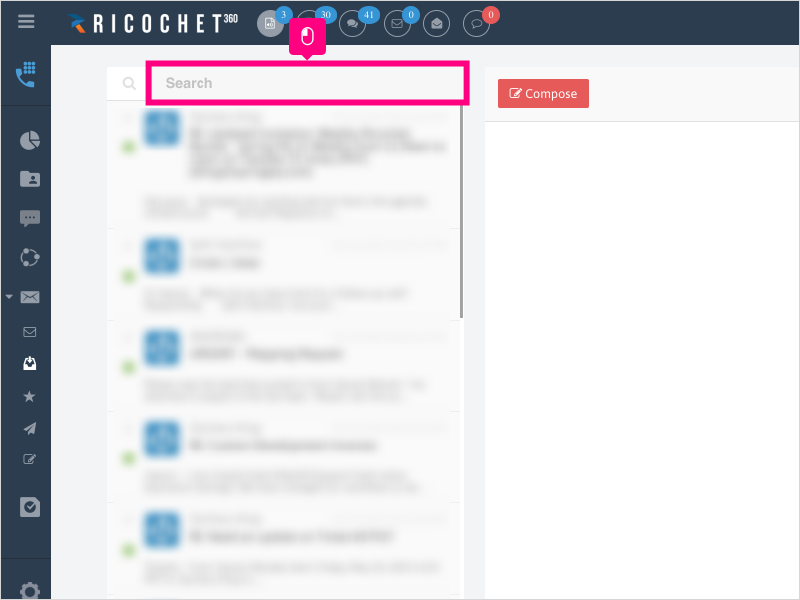
4. The results will display below.
Click on the email to display it on the right side view.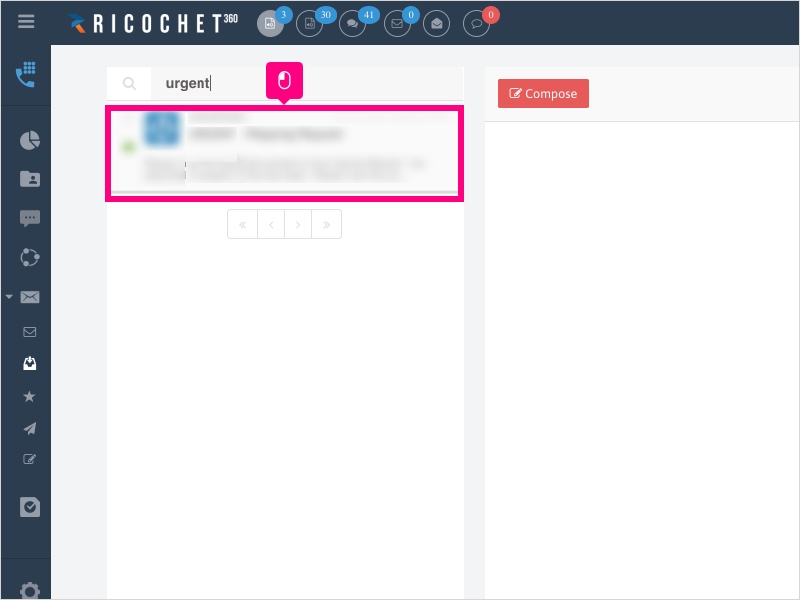
5. Click Reply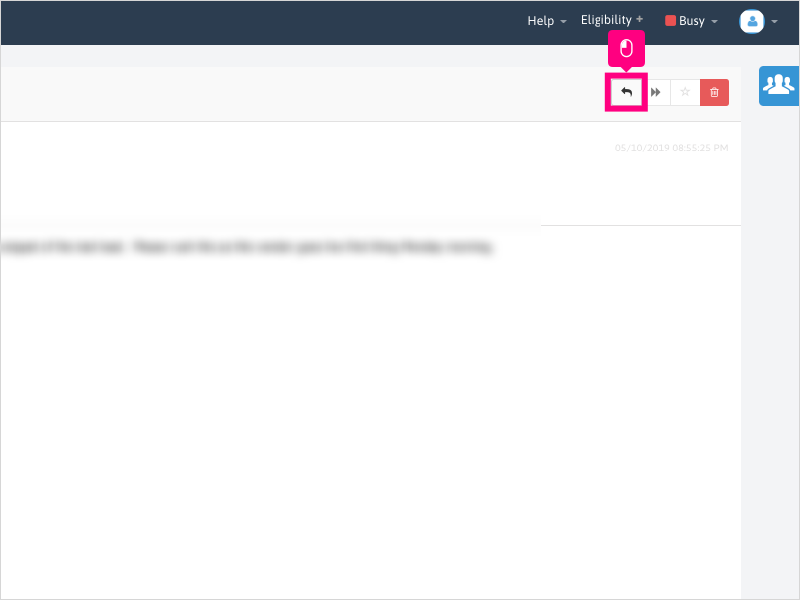
6. Click in the text area to fill in your reply to the email.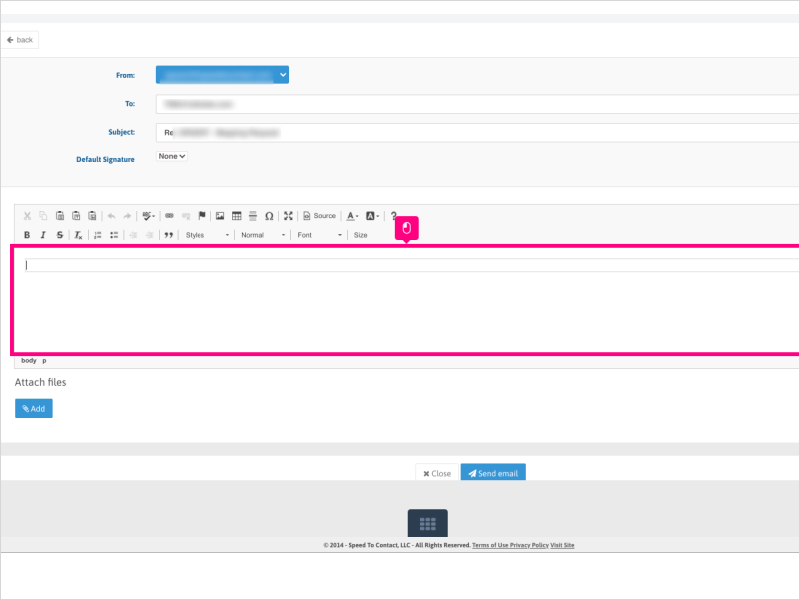
7. Click Send email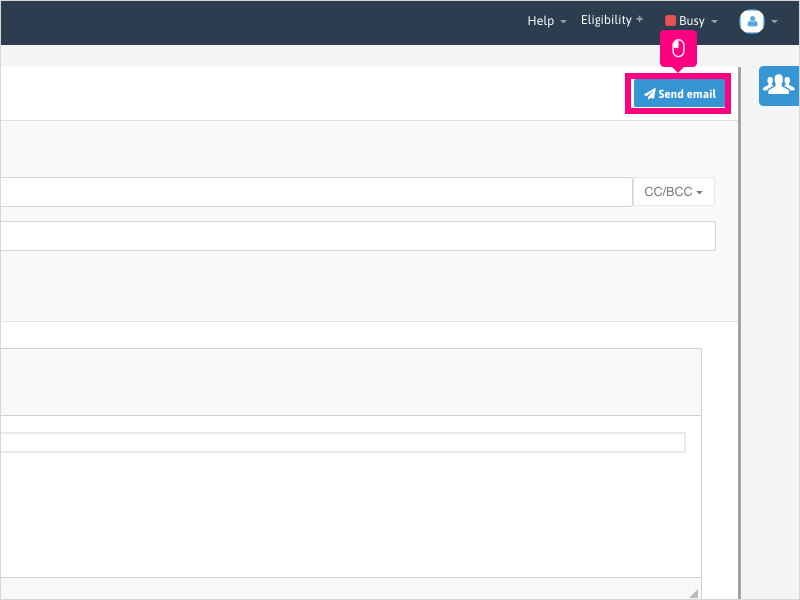
Was this article helpful?
That’s Great!
Thank you for your feedback
Sorry! We couldn't be helpful
Thank you for your feedback
Feedback sent
We appreciate your effort and will try to fix the article